Blog · September 14, 2026 · Rich Chetwynd
How to deploy an internal tool without managing servers
You built an internal app with AI. Here is how to deploy it for your team without nginx, Docker, or a devops ticket.
Quick answer
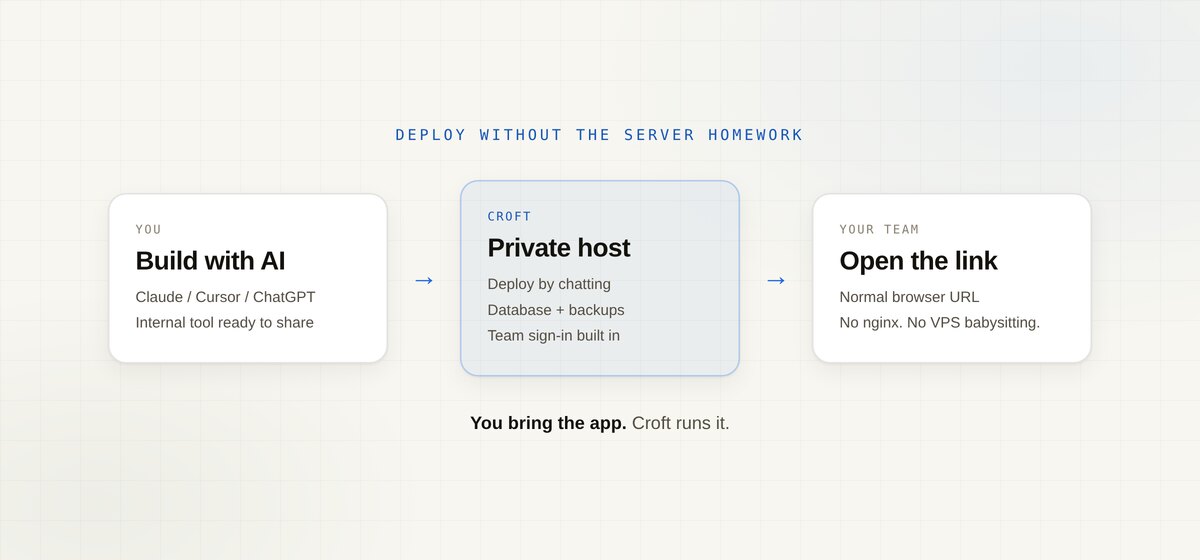
To deploy an internal tool without managing servers, put it on a private host that already includes a database, backups, team sign-in, and a simple deploy path. Ask your AI assistant to ship the app there. You should get a URL your colleagues can open, not a weekend of server homework. That is what Croft is for.
What “deploy without managing servers” usually means
People search this after they have something that works on their laptop or in a chat preview. The next job is:
- A link the team can open every day
- Data that saves for everyone, not one person’s browser
- No public URL unless they meant to go public
- No nginx, SSL renewals, Docker compose, or “who owns this VPS?”
That is deploy for a team tool, not launch for a public product.
Options people try first
| Option | What you get | What you still own |
|---|---|---|
| Public host (Vercel, Render, Northflank-style) | Fast live URL | Login, privacy, and “is this for staff only?” |
| DIY VPS / Docker | Full control | Auth, backups, updates, every next app |
| Keep it in Excel / sheet tools (SpreadsheetWeb, EASA-style) | Familiar grid | Still a spreadsheet workflow, not a real multi-user app |
| Low-code on sheets (Mendix / Appaca-style) | Forms on top of data | Platform fit for IT programs more than a quick AI-built tool |
| Croft | Private deploy, DB, backups, team sign-in | Opinionated: built for internal vibe-coded apps |
Public hosts are excellent when the app is meant for customers on the open web. They are the wrong default when the tool is a stocktake, quotes app, hiring tracker, or financial model for staff.
A simple deploy path (no servers to babysit)
- Get a croft (your private server for internal apps).
- Connect Claude, Cursor, or use Croft Build if you are not connecting an assistant yet.
- Ask the assistant to deploy the app (or start from a template).
- Invite the people who should use it. They open a normal URL and sign in with the company login.
You do not configure a database product, write an auth system, or schedule backup jobs. Croft includes continuous backups and one-click rollback when an AI change goes wrong. If you already built in Cursor, see host a Cursor app. Artifacts and chat apps fit the same path via artifacts.
What you should expect after deploy
- One shared app, not emailed HTML or five spreadsheet copies
- Saved data on your server, not stuck in a chat transcript
- Controlled access so leavers lose the tool when they leave the company
- Room to iterate: ask Claude or Cursor for the next change and redeploy
Need data from Xero or other systems? Use connectors so API keys stay out of the app code.
When this is the wrong answer
- You are shipping a public product at internet scale (use a public host).
- You want a full DIY cloud and a platform team (use AWS/GCP and own it).
- You only need a one-off demo that nobody else will open.
For a tool your team will open every week, “no servers to manage” should still mean backups, versions, and a real place the app lives.
FAQ
Is this the same as “serverless”?
Not really. Serverless usually means public cloud functions you still wire up. Here the goal is simpler: deploy the internal app without becoming the person who runs the box.
Can I deploy something I built in Claude or ChatGPT?
Yes. Host the artifact or canvas output as a real app your team can open. See share a Claude artifact with your team and where to host an app I built with AI.
Do I still get backups and versioning?
Yes. Croft backs up app data continuously and lets you roll back a bad deploy in one click. That matters when AI is writing the changes.
How much does Croft cost?
Solo from $24/month on annual billing, Team $99/month on annual. 7-day free trial, no card to start. Details on pricing.
Start your free trial.
Your team's first app could be live before lunch.
No card. 7 days. Cancel anytime.