Blog · October 14, 2026 · Rich Chetwynd
How to do a private full-stack deploy with a database for an AI-built app
Private full-stack deploy with a database for an AI-built internal tool: host on Croft with shared data and team access, not a public PaaS plus a wired DB.
Quick answer
To do a private full-stack deploy with a database for an AI-built internal tool, put the app on a private team host that already includes the database and a place colleagues can open it. Croft is that host: one lasting private URL, SQLite per app with shared workspace data, team sign-in, and backups, while you keep building in Cursor, Claude, or another assistant. That is how you host an AI internal tool with a database and ship a private team app with a database without standing up a public PaaS and wiring a separate DB yourself.
This post is the hosting decision: private full-stack place with DB and team access, versus public PaaS plus a database you attach. If you already have a host and only need the data to stick, see How to give an AI-generated app a real database.
You built the app. Now you need a real place with data.
Cursor, Claude, and similar tools make it easy to ship a useful internal tool: an approvals queue, an ops panel, a tracker, a small admin UI. It runs for you. Then you hit the full-stack cliff.
What usually goes wrong:
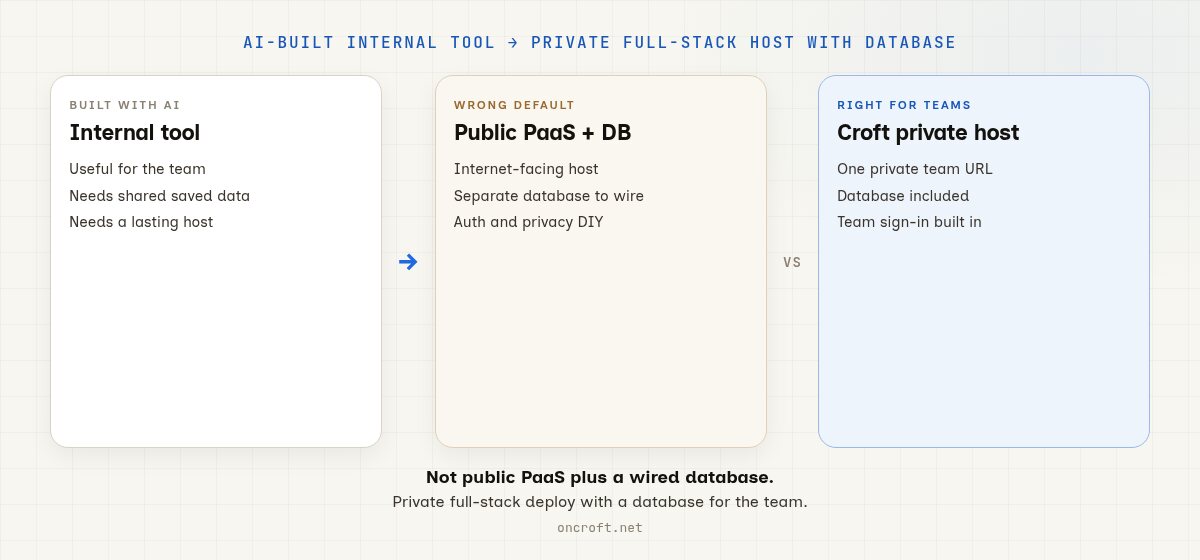
- You deploy to a public PaaS (Railway, Render, Vercel). The default posture is internet-facing. Privacy, auth, and team access are your job.
- The app needs saved data, so you add Postgres or another database as a second product: connection strings, backups, and who can reach it.
- Login is DIY. You wire auth, invites, and roles before anyone can safely use the tool.
- You keep iterating with AI, but every redeploy still feels like standing up a small public product stack for a team-only app.
Developers and non-developers both hit this. Almost everyone builds with AI now. Developers pick a private team host when they do not want full PaaS ops for a small internal tool. Non-developers pick it when the assistant built something useful and the company needs a lasting place with shared data.
Broader context: Where to host a vibe-coded app privately, Where to host a Cursor vibe-coded app for your team, Where to host an app I built with AI, and Croft vs Railway.
What “private full-stack with a database” should mean
For an AI-built internal tool, “full-stack deploy” is not “any live URL plus a DB add-on.” It means:
- A lasting private URL colleagues can bookmark and reopen
- A shared app database so everyone works against the same saved data
- Team sign-in, so only your people open it (company login as the access benefit)
- Backups and rollback when the next AI edit goes sideways
- Room to keep iterating in Cursor or Claude and redeploy without babysitting a multi-service public stack
Related: artifacts to apps, backups and versioning, for developers, host a Cursor app.
Public PaaS + wired DB vs Croft
| Need | Public PaaS + separate DB | Croft |
|---|---|---|
| Default URL | Public / preview by default | Private by default |
| Database | Extra product you wire and back up | Included with the host (SQLite per app, shared workspace data) |
| Team sign-in | You assemble auth | Company login in front of apps |
| Best when | Internet-facing products and services | AI-built / vibe-coded apps the team opens |
| Ops load for a small internal tool | App host + DB + auth + hardening | Low |
This is posture, not a peer feature checklist. Railway, Render, and Vercel shine when the app faces the internet and you want classic public PaaS delivery. Croft is a private team host: you bring the AI-built app; the team gets one place to open it, with the database already there. See Croft vs Railway and the rest of compare.
When public PaaS plus a database is right
Pick a public PaaS and a separately wired database when:
- The app is meant for customers or the public internet
- You want preview deploys, multi-region or edge-style delivery, and classic product hosting
- You are happy operating the app host, the database, auth, and privacy as the service grows
That is a strong job. It is simply the wrong default for a private full-stack deploy with a database when only your company should use the tool.
When Croft is right
Pick Croft when:
- You built an internal tool with AI and the team needs to open it
- You want private hosting by default, not a public URL you lock down later
- You want the database included with the host, not a second product to wire
- You want shared data, team sign-in, backups, and rollback without assembling a stack
- You would rather connect Cursor or connect Claude and deploy than stand up a full public PaaS for a small tool
Croft uses SQLite per app with shared workspace data. Expect a private place for team apps, optional connectors, templates, and a path to keep shipping from your assistant. Optional in-product AI chat: Ask Croft.
Short path: AI-built app → private full-stack host
- Start a free trial and get a croft (private server for your workspace).
- Connect your assistant: Cursor, Claude, or another supported path.
- Ask it to deploy the app to your croft (not a public host). Optional browser path: Ask Croft.
- Ask for the data that should persist. The app gets its own database on your private server. Teammates work against the same saved data.
- Invite colleagues. They open a normal URL, sign in with company login, and use the tool.
More on turning builds into hosted apps: artifacts to apps. Cursor-focused landings: host a Cursor app and Deploy a Cursor app for your company.
FAQ
How do I do a private full-stack deploy with a database?
Deploy the AI-built app to a private team host that includes the database, not to a public PaaS with a separate DB add-on. Croft is built for that: private URL, SQLite per app with shared workspace data, team sign-in, and backups.
How do I host an AI internal tool with a database?
Put it on Croft. Connect Cursor or Claude, deploy to your croft, and ask for the data that should save. The database comes with the host. See for developers and artifacts.
What is a private team app with a database?
A lasting app your colleagues open behind team sign-in, with shared saved data, not a public preview URL and not a local demo that forgets everything on refresh. Croft hosts that kind of app.
Is this the same as “give my AI app a database”?
No. Giving an AI-generated app a real database is about making data stick once you have a host. This post is the earlier choice: private full-stack place with DB and team access, versus public PaaS plus a wired database.
Is Croft the same as Railway, Render, or Vercel?
No. Those are public PaaS options for internet-facing services. Croft is a private team host for AI-built internal apps. See Croft vs Railway.
Does Croft use Postgres?
No. Croft uses SQLite per app with shared workspace data. You get a real database with the host; you do not provision a separate Postgres service for a typical team internal tool.
Do only non-developers use Croft?
No. Developers use Croft for small private team projects when they do not want Railway/Render/Vercel-style infra. Non-developers use it when the assistant built the app and they need a private place the team can open. See Croft for developers.
How much does Croft cost?
Solo from $24/month on annual billing, Team $99/month on annual. 7-day free trial, no card to start. See pricing.
Start free trial → · For developers → · Host a Cursor app → · Ask Croft → · Pricing →
Stake out your croft.
Your team's first app could be live before lunch.
Start free trial7 days free, no card to start. From $24/month - cancel anytime and take everything with you.