Blog · September 16, 2026 · Rich Chetwynd
App hosting with backups and versioning
Where to host a team app with continuous backups and one-click versioning, so an AI change does not brick the tool.
Quick answer
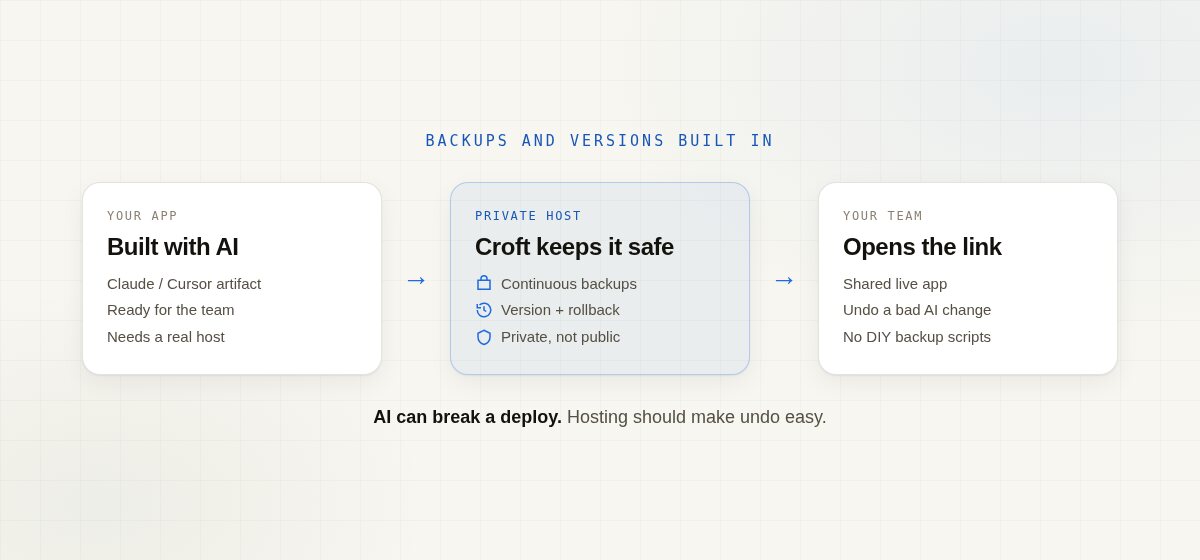
If you need app hosting with backups and versioning, put the app on a private host that already includes continuous backups and one-click rollback. You should not be writing cron jobs or restoring from a disk image after a bad AI edit. That is what Croft is for: a private place for internal vibe-coded apps your team can open, with data backups and version history built in.
Why backups and versioning matter for AI-built apps
You built something useful in Claude or Cursor. The hard part is not the first draft. It is the next change:
- An assistant “improves” a screen and the team tool stops loading
- Someone overwrites shared data because there is only one copy on a laptop
- The only backup is an old HTML email or a zip on someone’s Desktop
For a stocktake, quotes app, hiring tracker, or financial model, host app with backups means the live tool can survive a bad deploy. Versioning means you can roll back without rebuilding from memory.
Options people try first
| Option | Backups / versions | Fit for a small internal app |
|---|---|---|
| Public AI-SaaS host (Vercel, Render, Northflank-style) | Often yes for code; privacy is your problem | Great for public products; wrong default for staff-only tools |
| DIY VPS + scripts | Only if you build and babysit them | Full control, and you own every restore drill |
| Keep it in Excel / sheet tools (SpreadsheetWeb, EASA-style) | File versions, not a multi-user app host | Familiar grid; still a spreadsheet workflow |
| Sheet-backed low-code (Mendix / Appaca-style) | Platform-dependent | Built for IT programs more than a quick AI artifact |
| Croft | Continuous encrypted backups + one-click rollback | Opinionated private host for internal vibe-coded apps |
Public hosts shine when the app is meant for customers on the open web. They are not the same job as a private team tool that must stay recoverable when AI writes the next change.
What “host with backups and versioning” should include
- A shared live URL, not emailed HTML or five spreadsheet copies
- Continuous backups of app data, not a weekend restore project
- Version history / rollback so a bad AI deploy is undo, not panic
- A private place for the team (company login as a benefit, not a homework assignment)
- A simple path from Claude, Cursor, or Croft Build to deploy
That is the gap DIY VPS setups leave open: you can host the app, then you still own backup scripts, restore tests, and “who has the last good copy?”
A simple path on Croft
- Get a croft (your private server for internal apps).
- Connect Claude, Cursor, or start from templates / artifacts.
- Ask the assistant to deploy the app (or use Croft Build).
- Invite the people who should use it. They open a normal link and sign in with the company login.
Croft includes continuous backups and one-click rollback when an AI change goes wrong. If you already built in Cursor, see host a Cursor app. Need data from Xero or other systems? Use connectors so keys stay out of the app code.
When this is the wrong answer
- You are shipping a public product at internet scale (use a public host).
- You want a full DIY cloud and a platform team that owns restore runbooks.
- You only need a one-off demo that nobody else will open.
For a tool your team opens every week, hosting without backups and versioning is incomplete hosting.
FAQ
Where can I host a team app with backups and versioning?
On a private host built for internal apps. Croft gives you deploy, database, continuous backups, and rollback so the team tool stays recoverable. Start with a free trial.
Is hosting with backups the same as Git version control?
Git versions your code. App hosting with backups also covers live app data and a way to undo a bad deploy. You want both when AI is editing the tool your team already relies on.
Can I host a Claude artifact this way?
Yes. Turn the artifact into a real app your colleagues can open, with backups and versions on the host. See share a Claude artifact with your team and where to host an app I built with AI.
Do I need to manage servers or write backup scripts?
No. Croft is for people who built something with AI and need somewhere private to host it, without becoming the devops person. More on deploying an internal tool without managing servers.
How much does Croft cost?
Solo from $24/month on annual billing, Team $99/month on annual. 7-day free trial, no card to start. Details on pricing.
Start your free trial.
Your team's first app could be live before lunch.
No card. 7 days. Cancel anytime.