Blog · October 7, 2026 · Rich Chetwynd
How to share an expense tracker app with your team
Host an expense tracker built with AI as a private team app on Croft. One URL, shared claims and approvals, company login, backups. Not emailed HTML or a public host.
Quick answer
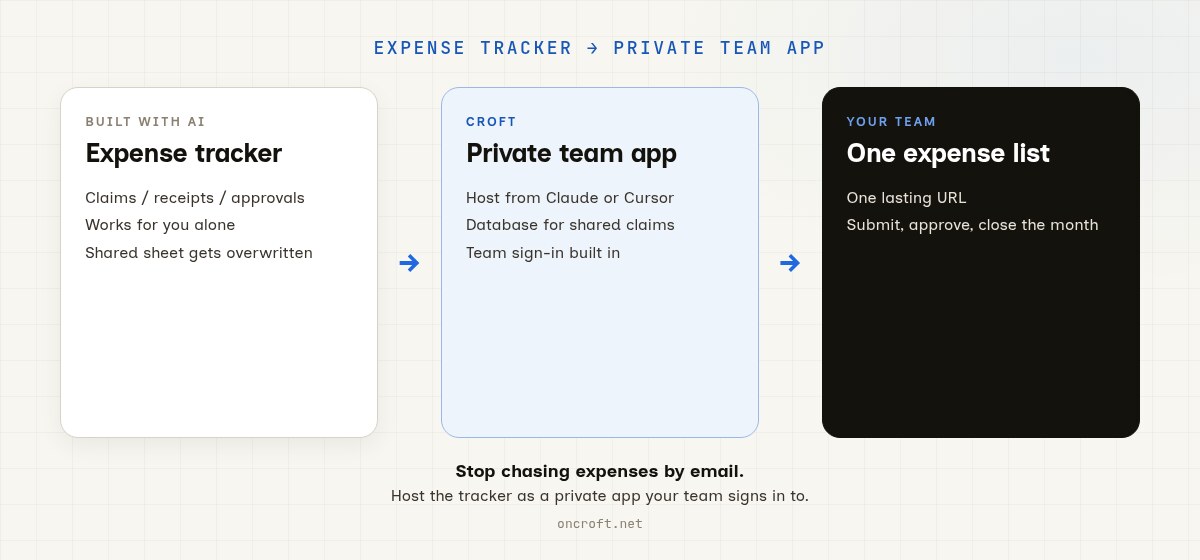
To share an expense tracker with your team, host it as a private app on Croft and give everyone one URL. Staff submit claims, approvers sign off, and finance sees one shared list of expenses, with everyone signing in through company login. That is the path for an expense claims app built with AI and for moving an expense spreadsheet to a private app for the team: a lasting private app, not an emailed HTML file, a shared sheet everyone edits, or a public host.
The tracker works for you. Sharing it is broken.
Plenty of finance and ops people now build their own expense tracker in Claude, Cursor, or a rebuilt sheet: who spent what, on which project, with which receipt, and whether it is approved yet. It often works well for the person who built it. The trouble starts when the rest of the team needs it.
What usually happens:
- You email an HTML export or artifact file. Every person has a different copy, and nobody’s claims land in the same place.
- You put it on a public host. Names, amounts, and card spend sit on the open web unless you build login yourself.
- You keep a shared expenses sheet. Rows get overwritten, approvals live in email threads, and month end turns into chasing people.
- You demo it once in chat. A week later someone asks for “that expenses thing” and you have to rebuild the session.
So the expense tracker is useful. The team still does not have one live app with one shared set of claims.
Other paths, if your starting point is different: financial models from Claude, spreadsheet financial models, Xero data in a private app, shift rosters, and sales trackers. For hosting AI-built apps in general: Where to host an app I built with AI. This post is the expense tracker path.
What sharing an expense tracker should mean
For money the business has to account for, “share it” is not “any live URL.” It means:
- A lasting URL staff and approvers can open in a browser
- Shared saved claims so every submission and approval persists for everyone
- Team sign-in, so only your people can see amounts and names
- Backups and a way to undo a bad edit or a deleted row
- A path to keep improving it in chat (new categories, a month end summary, a project view) without babysitting servers
Related reading when recoverability matters: App hosting with backups and versioning.
Emailed HTML vs public host vs shared sheet vs Croft
| Need | Emailed HTML / artifact | Public AI-app host | Shared expenses sheet | Croft |
|---|---|---|---|---|
| Team opens their own link | No | Yes | Yes, one big file | Yes |
| Shared claims and approvals | No | Extra setup | Rows and email threads | Included |
| Private to your people | File chaos | You build login | Depends on sharing settings | Built in |
| Clear who submitted and who approved | No | You build it | Hard to trust | Yes, with team sign-in |
| Keep iterating with AI chat | Limited | Varies | Limited | Yes |
| No devops required | N/A | Sometimes | N/A | Yes |
Croft is the private place for vibe-coded and AI-artifact apps. It is not a public app host, and it is not “keep the sheet forever and wrap it.” You bring the expense tracker; Croft gives your team a shared app on a private server.
Steps: expense tracker to private team app
- Get a croft (a private server for your workspace).
- Connect Claude or Cursor, or use Croft Build in the browser if you prefer not to connect an assistant yet.
- Hand the assistant the tracker: paste the artifact, share the sheet’s columns, or describe your categories, limits, and who approves what. Ask it to deploy the expense tracker as an app on your croft (not to email HTML or publish a public URL).
- Invite colleagues. They open a normal URL, sign in with company login, and submit or approve claims in the same app.
- Keep chatting to add a month end export, a per-project view, or a reminder for overdue approvals. Deploys and rollbacks stay on the server.
More on the product path: From artifact to app. Prefer Cursor for the next round of changes? See host a Cursor app. Starting points: templates. Want live accounting data later: connectors.
You do not need to learn nginx, Docker, or “how to deploy.” The point of Croft is that the assistant can ship the app for you, whether you write code every day or never have.
FAQ
How do I share an expense tracker with my team?
Host it as a private app on Croft, then invite the people who submit and approve expenses. They get a normal link and the same saved claims. Details on artifacts to apps and connect Claude.
Can I just email the HTML or artifact?
You can, once. Then someone submits a claim in their copy, another person approves in theirs, and nothing adds up at month end. That is fine for a demo. It is not fine for an expense process the team relies on.
Why not keep using a shared expenses spreadsheet?
A sheet works until several people edit it at once, approvals move into email, and you cannot tell who changed a number. A private app gives each person a simple form, keeps approvals with the claim, and keeps the data in one place. Related path for sheets: How to turn a Google Sheet into an app.
Is this the same as putting the tracker on a public host?
Public hosts are strong for public products. For internal expenses you usually want a private server and team sign-in by default, not a public URL you lock down after the fact. See also Where to host a vibe-coded app so it stays private.
Can the tracker use our accounting data?
Yes, as a later step. Croft connectors let a private app read live business data, and there is a walkthrough for using Xero data in a private internal app. Start with the tracker itself, then connect data when it helps.
Do I need to be technical?
No. If you can run an expenses sheet or describe your approval rules to an assistant, you can ask it to deploy to Croft. Developers use the same path when they want a quick private tool for the team without setting up a full hosting platform; see Croft for developers.
How much does Croft cost?
Solo from $24/month on annual billing, Team $99/month on annual. 7-day free trial, no card to start. See pricing.
Stake out your croft.
Your team's first app could be live before lunch.
Get your croft7 days free, no card to start. From $24/month - cancel anytime and take everything with you.