Blog · October 16, 2026 · Rich Chetwynd
How to share a budget vs actuals app with your team
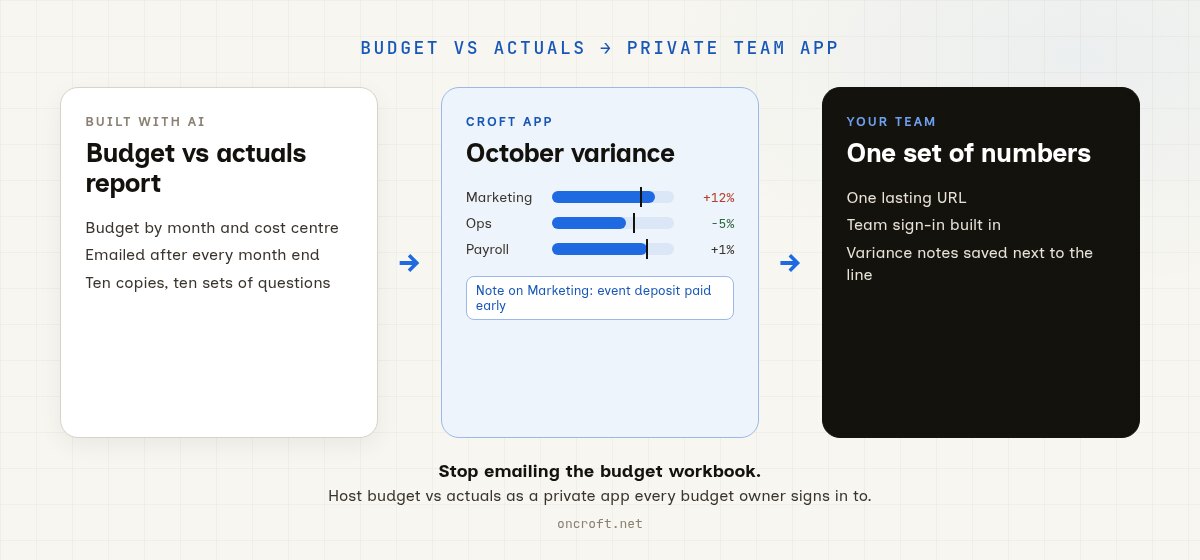
Host a budget vs actuals report built with AI as a private team app on Croft. One URL, the same variance numbers for every budget owner, company login, backups. Not emailed spreadsheets or a public host.
Quick answer
To share a budget vs actuals report with your team, host it as a private app on Croft and give every budget owner one URL. Finance, department heads, and the leadership team see the same budget, actuals, and variance, with everyone signing in through company login. That is the path for a budget vs actuals app built with AI and for moving a budget spreadsheet to a private app for the team: a lasting private app, not a monthly emailed workbook, a dozen copies of the same sheet, or a public host.
The report works for you. Sharing it is broken.
Plenty of finance people and founders now build a budget vs actuals view in Claude, Cursor, or a rebuilt sheet: budget by month and cost centre, actuals from the ledger, variance in dollars and percent, and a short note on why a line is over. It often works well for the person who built it. The trouble starts when every department head needs to see their own numbers each month.
What usually happens:
- You email the workbook or an HTML export after month end. Each manager gets a snapshot, replies with questions, and the comments live in ten inboxes.
- You keep one master budget sheet. People overwrite formulas, add tabs, and nobody is sure which version matches the ledger.
- You put the report on a public host. Salaries, supplier spend, and margins sit on the open web unless you build login yourself.
- You walk through it on a call. A week later someone asks “why is marketing over?” and you rebuild the explanation from scratch.
So the report is useful. The team still does not have one live app with one shared set of numbers and explanations.
Other finance paths, if your starting point is different: host a financial model from Claude, turn a spreadsheet financial model into a private app, use Xero data in a private internal app, and share an expense tracker. This post is the budget vs actuals path.
What sharing budget vs actuals should mean
For a report that goes to every budget owner each month, “share it” is not “any live URL.” It means:
- A lasting URL finance and every department head can open in a browser
- One set of numbers: the same budget, actuals, and variance for everyone
- Team sign-in, so only your people see salaries, supplier spend, and margins
- Variance notes saved in the app, so “why are we over?” is answered once, next to the line, not in email
- Backups and a way to undo a bad budget edit or a wrong import
- A path to keep improving it in chat (a reforecast column, a cost centre filter, a year-to-date view) without babysitting servers
Related reading when recoverability matters: App hosting with backups and versioning.
Emailed workbook vs public host vs shared sheet vs Croft
| Need | Emailed workbook / export | Public AI-app host | Shared budget sheet | Croft |
|---|---|---|---|---|
| Every budget owner opens their own link | No | Yes | Yes, one big file | Yes |
| Same numbers for everyone | Snapshot per email | Extra setup | Until someone edits a formula | Yes, one app database |
| Private to your people | Inbox sprawl | You build login | Depends on sharing settings | Built in |
| Variance notes next to the line | Email replies | You build it | Cell comments | Yes, saved in the app |
| Pull actuals from your accounting system | Manual export | You wire it | Manual paste | Connectors, such as Xero |
| Keep iterating with AI chat | Limited | Varies | Limited | Yes |
| No devops required | N/A | Sometimes | N/A | Yes |
Croft is the private place for vibe-coded and AI-artifact apps. It is not a public app host, and it is not “keep the spreadsheet forever and wrap it.” You bring the budget vs actuals report; Croft gives your team a shared app on a private server.
Steps: budget report to private team app
- Start a free trial (a private server for your workspace).
- Connect Claude or Cursor, or use Ask Croft in the browser if you prefer not to connect an assistant yet.
- Hand the assistant the report: paste the artifact, share the budget sheet’s columns, or describe your cost centres, months, and how variance should be shown. Ask it to deploy the budget vs actuals report as an app on your croft (not to email a file or publish a public URL).
- Load actuals the way that suits you: upload a monthly export, or use a connector such as Xero so the app can read ledger data. More on that path: Xero data in a private internal app.
- Invite budget owners. They open a normal URL, sign in with company login, and add a note when their line is over or under.
- Keep chatting to add a reforecast, a per-department view, or a flag for lines more than 10% off budget. Deploys and rollbacks stay on the server.
More on the product path: From artifact to app. Prefer Cursor for the next round of changes? See host a Cursor app. Starting points: templates.
You do not need to learn nginx, Docker, or “how to deploy.” The point of Croft is that the assistant can ship the app for you, whether you write code every day or never have.
FAQ
How do I share a budget vs actuals report with my team?
Host it as a private app on Croft, then invite finance and each budget owner. They get a normal link, the same numbers, and a place to explain variances. Details on artifacts to apps and connect Claude.
Can I just email the budget spreadsheet each month?
You can. Then every manager has a different snapshot, questions arrive by email, and next month starts the cycle again. That is fine for a one-off. It is not fine for a monthly report the whole leadership team relies on.
Can the app pull actuals from Xero?
Croft has a Xero connector, so a private app can read accounting data instead of you pasting exports. You can also start with a monthly upload and connect later. See use Xero data in a private internal app.
Why not keep using a shared budget sheet?
A sheet works until several people edit it at once, a formula breaks, and you cannot tell which tab is current. A private app keeps the budget, actuals, and notes in one database, shows each person a clear view, and keeps a history you can roll back.
Is this the same as putting the report on a public host?
Public hosts are strong for public products. Budget data is about as internal as it gets, so you usually want a private server and team sign-in by default, not a public URL you lock down after the fact. See also Where to host a vibe-coded app so it stays private.
Can developers use the same path?
Yes. Developers use Croft when they want a quick private tool for the team without setting up a full hosting platform; see Croft for developers.
How much does Croft cost?
Solo from $24/month on annual billing, Team $99/month on annual. 7-day free trial, no card to start. See pricing.
Start your free trial.
Your team's first app could be live before lunch.
No card. 7 days. Cancel anytime.